StudyWise
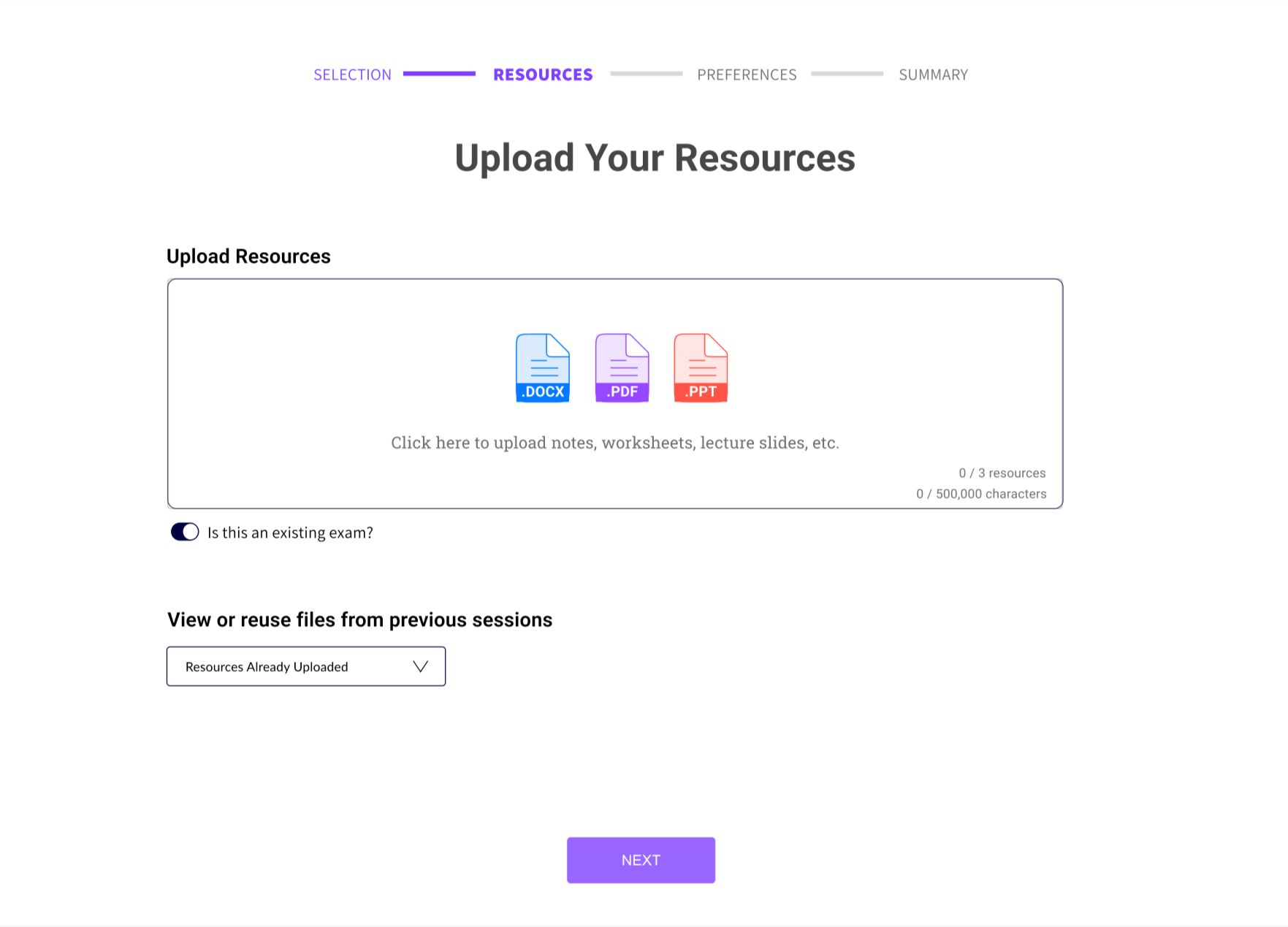
StudyWise (now acquired by Collage AI) is an AI-powered platform that helps educators generate customized exams from uploaded materials. My focus as the UX designer was on the original exam generation workflow which lacked structure and clarity; it was so confusing that it caused teachers to abandon exams mid-build, undermining the platform's core promise of saving educators time.
I led the redesign of the experience from the ground up. I diagnosed the friction and pain points, uncovered what teachers actually needed, and built a guided, step-by-step, and intuitive exam generation flow.
User Interface / User Experience
Understanding the User Journey
The exam creation journey:
Uploading teaching materials
Selecting exam preferences
Generating questions
Reviewing the final exam
Moving through this journey helped identify moments where users experienced confusion, lack of feedback, or decision overload. I used Google Analytics to track user behavior and gain insights on what pages are most viewed, how long users stay, where they click, and when they exit.
Before going deeper with users on the points of friction that I found from my own experience and Google Analytics, I wanted to understand the competitive landscape. I researched what teachers were currently using, if anything, to help build exams.
Competitor Analysis
I analyzed six competing platforms to understand where the market had already solved for educator needs and where StudyWise had a real opportunity to stand out. The pattern was clear: tools like FlexiQuiz prioritized onboarding smoothness, while tools like Doctrina focused on accessibility. While tools like SmallPDF had AI features, StudyWise's strength was a full AI-powered customization and iteration.
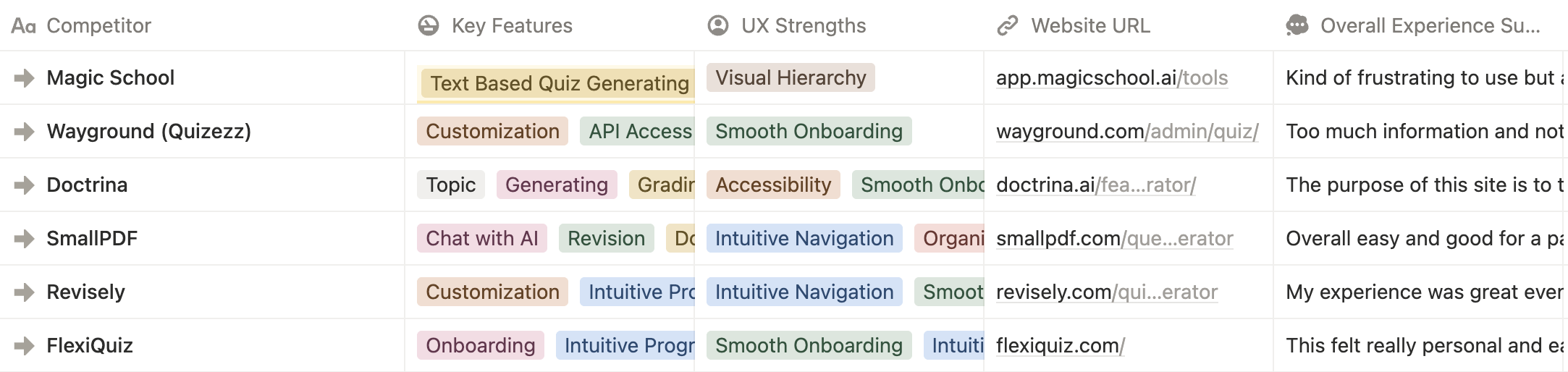
Once I learned what good looked like externally, I moved to understand what teachers were actually experiencing inside StudyWise.
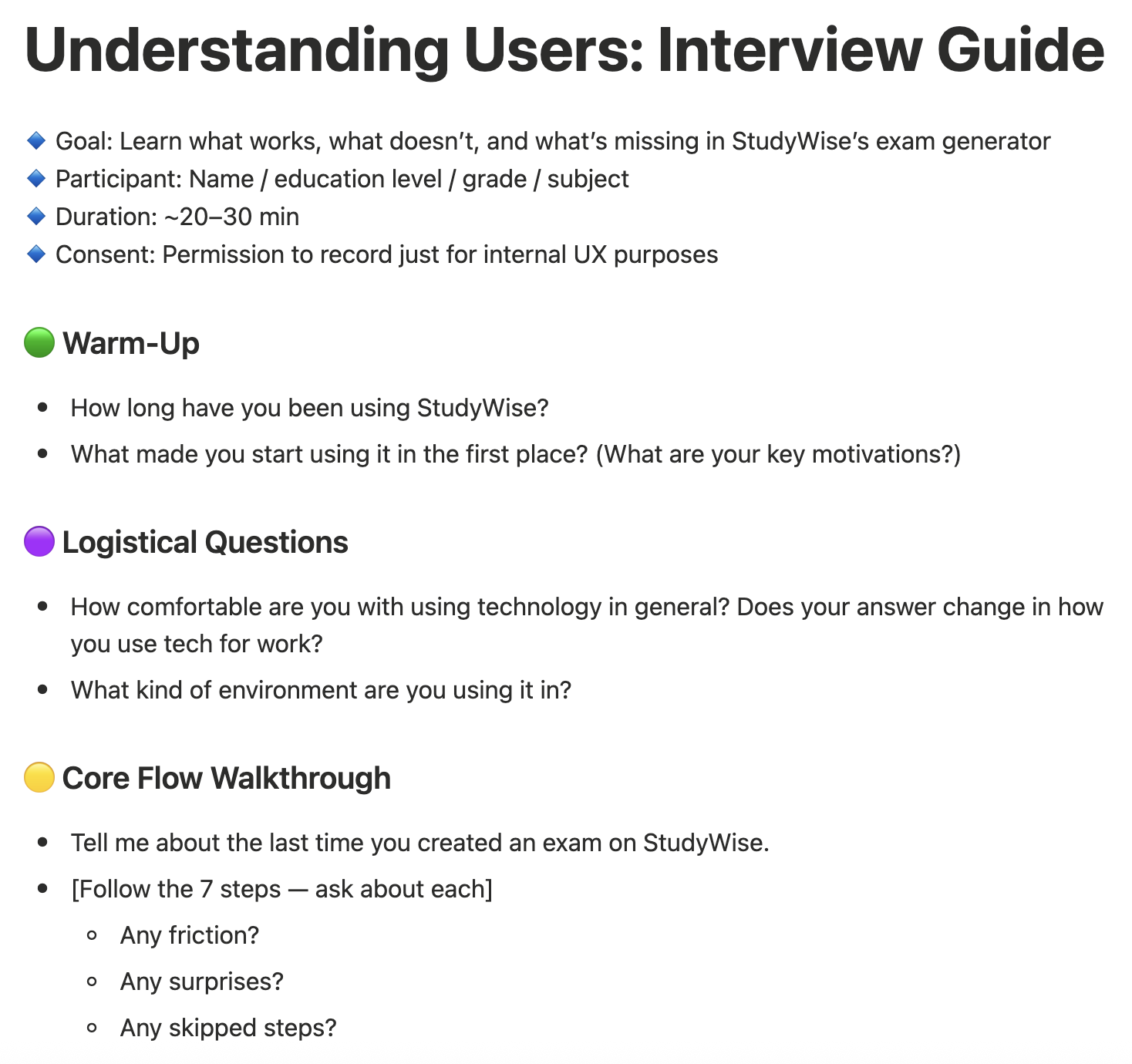
Understanding Users: Interview Guide
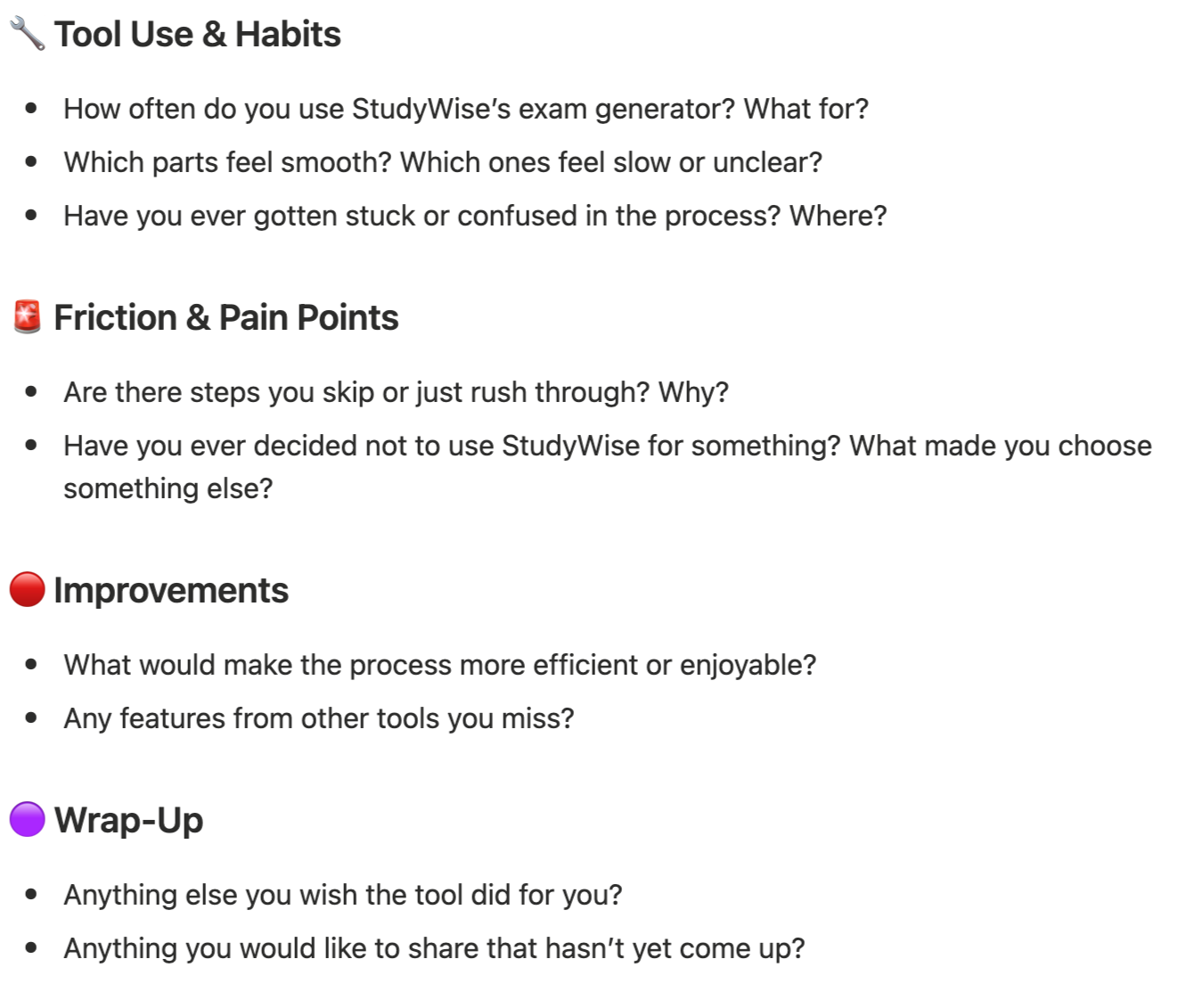
My own journey through StudyWise’s exam generation and the Google Analytics data contained many pain points, but it did not explain why friction existed, only that it did. To understand teachers' real mental models, I conducted user interviews. I developed a structured guide covering tool habits, friction points, and improvement ideas. I then ran sessions with 4 teachers.
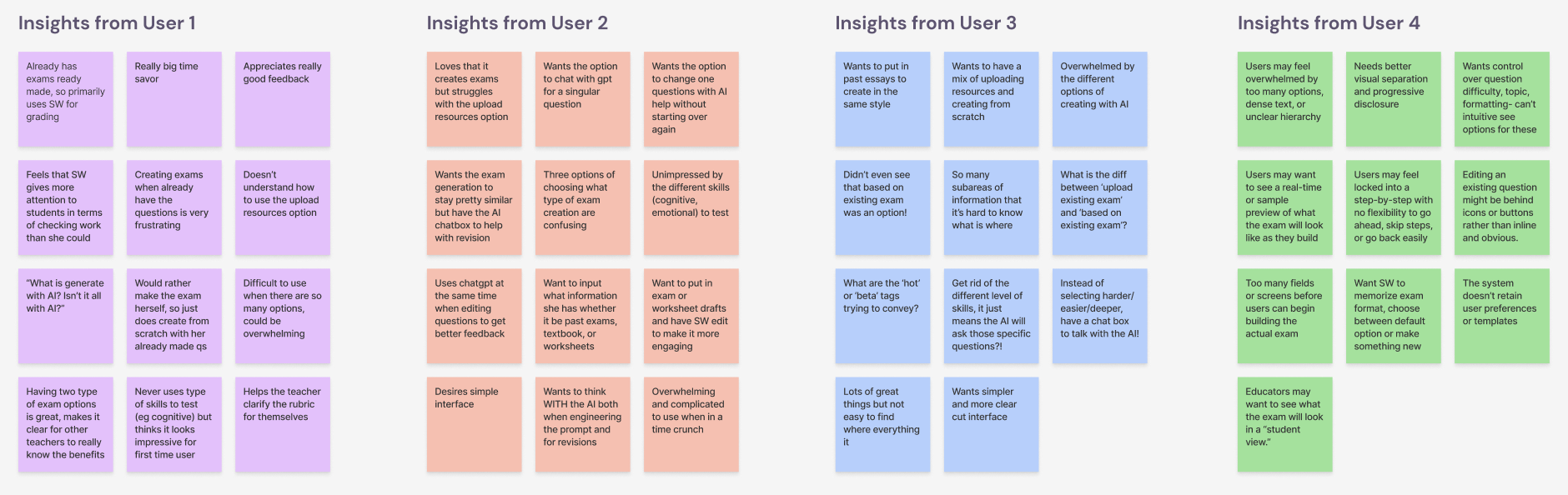
Organizing User Data with Affinity Diagramming
I brought all the raw interview data into a FigJam board and ran three rounds of grouping: first by user, then by topic, then by underlying theme.
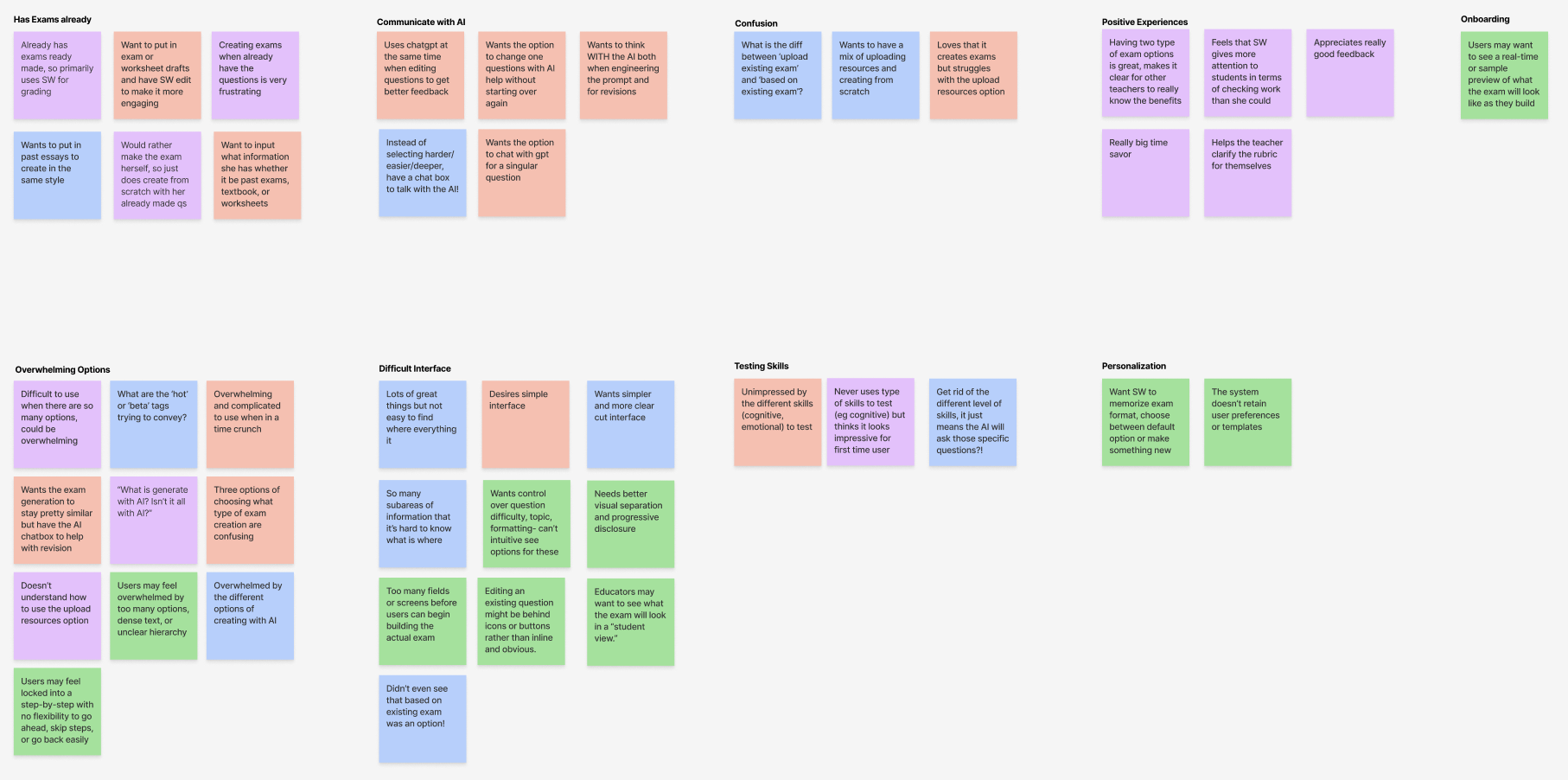
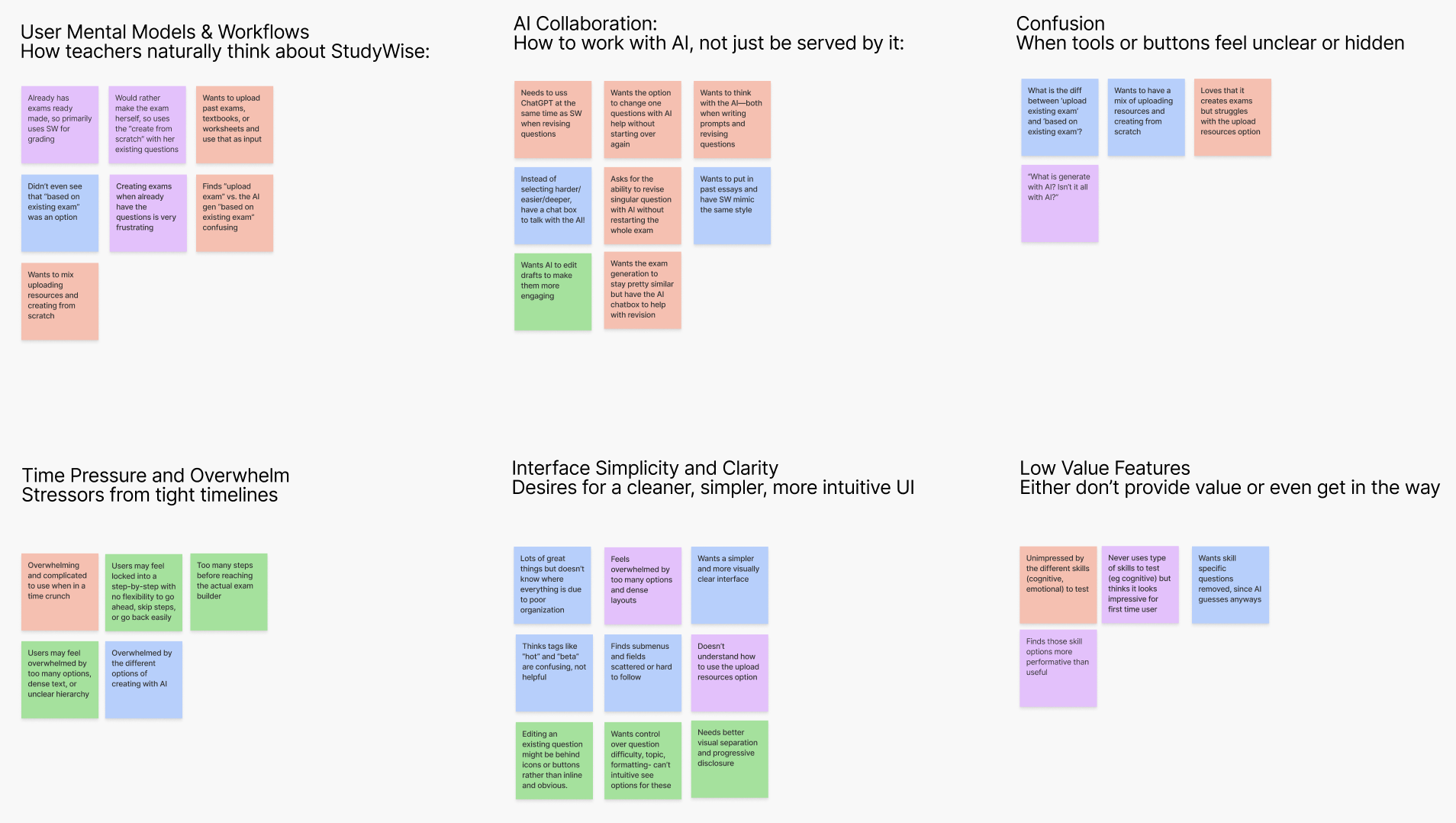
Six themes emerged that would reshape how I understood the problem:
User Mental Models & Workflows: How teachers naturally think about StudyWise
AI Collaboration: How to work with AI, not just be served by it
Confusion: When tools or buttons feel unclear or hidden
Time Pressure and Overwhelm: Stressors from tight timelines
Interface Simplicity and Clarity: Desires for a cleaner, simpler, intuitive UI
Low Value Features: Either don’t provide value or even get in the way
Analysis of Affinity Diagram Insights
Teachers Want Flexible Workflows
Many users already have exams and use StudyWise primarily for grading
Preference to create exams from scratch using their existing questions
Confusion between "upload" vs. "based on" existing exams
Users want to mix uploading resources (e.g., past tests, worksheets) and creating new content
Teachers Want to Think With the AI
Users want to co-create with AI—not just passively generate exams
Use ChatGPT alongside SW to improve clarity or variety of questions
Want to input past essays or drafts and match their style
Prefer revising single questions with AI, not starting over
Desire conversational AI prompts over rigid dropdowns
Confusion Around AI Features
“Generate with AI” is ambiguous—users assume everything is AI-powered
Three creation paths (scratch, upload, based-on) feel redundant
Skills like “cognitive” or “emotional” don’t resonate with experienced teachers
Existing labels like "hot" or "beta" confuse more than help
Users Crave More Editing Flexibility
Frustration when forced to rebuild exams from scratch
Can't easily adjust question difficulty, topic focus, or formatting
Editing interface feels hidden behind buttons or menus
Want quick, intuitive access to revise existing questions
Desire for Simplicity: Too Many Options, Not Enough Clarity
Interface is overwhelming and visually dense
Users want a clearer, more minimal experience
Important tools feel buried or hard to locate
Lack of visual hierarchy and intuitive flow adds cognitive load
Using StudyWise Under Time Pressure
Teachers use SW when short on time
Too many steps before building begins
Rigid flows prevent skipping or jumping between steps
Stress increases when users can't find what they need quickly
Teachers Appreciate Seeing the Outcome
Users want live previews of the exam during creation
A “student view” would build confidence in exam structure
Helpful AI feedback enhances user trust
StudyWise helps clarify the rubric for teachers too
Remove Low-Value Features
Teachers don’t use “skills to test” features (e.g., cognitive/emotional)
These features feel performative or “for show”
AI doesn’t always match these tags well anyway
Simplifying this area would reduce clutter
Designing for Partnership, Not Just Productivity
Teachers want flexibility, not rigidity
Simpler UI + meaningful AI = more teacher trust
Prioritize co-creation, intuitive navigation, and live previews
Reduce cognitive friction, especially in high-pressure situations
These themes told me what teachers were feeling. Journey mapping let me pinpoint exactly where in the flow those feelings hit hardest.
Journey Mapping
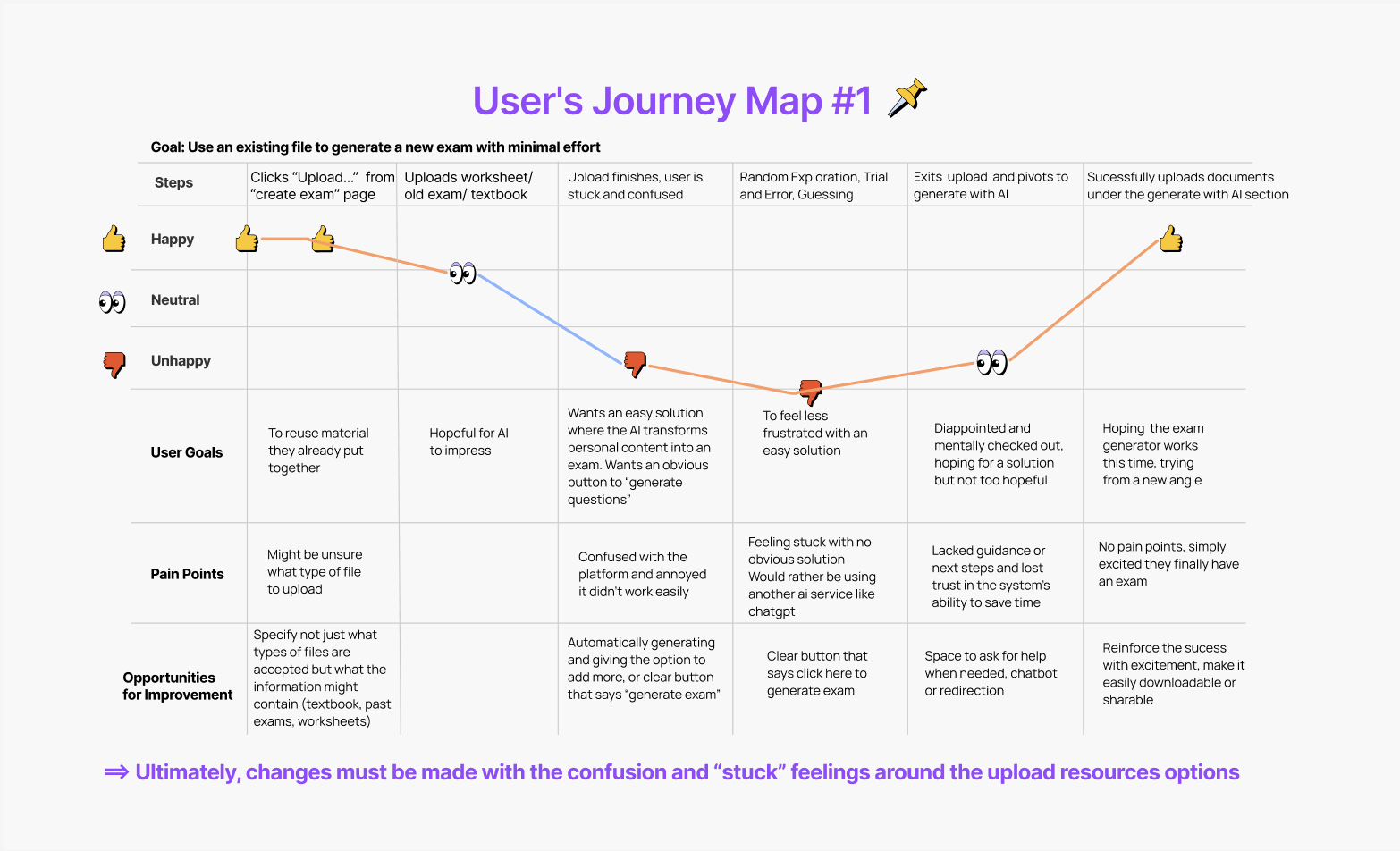
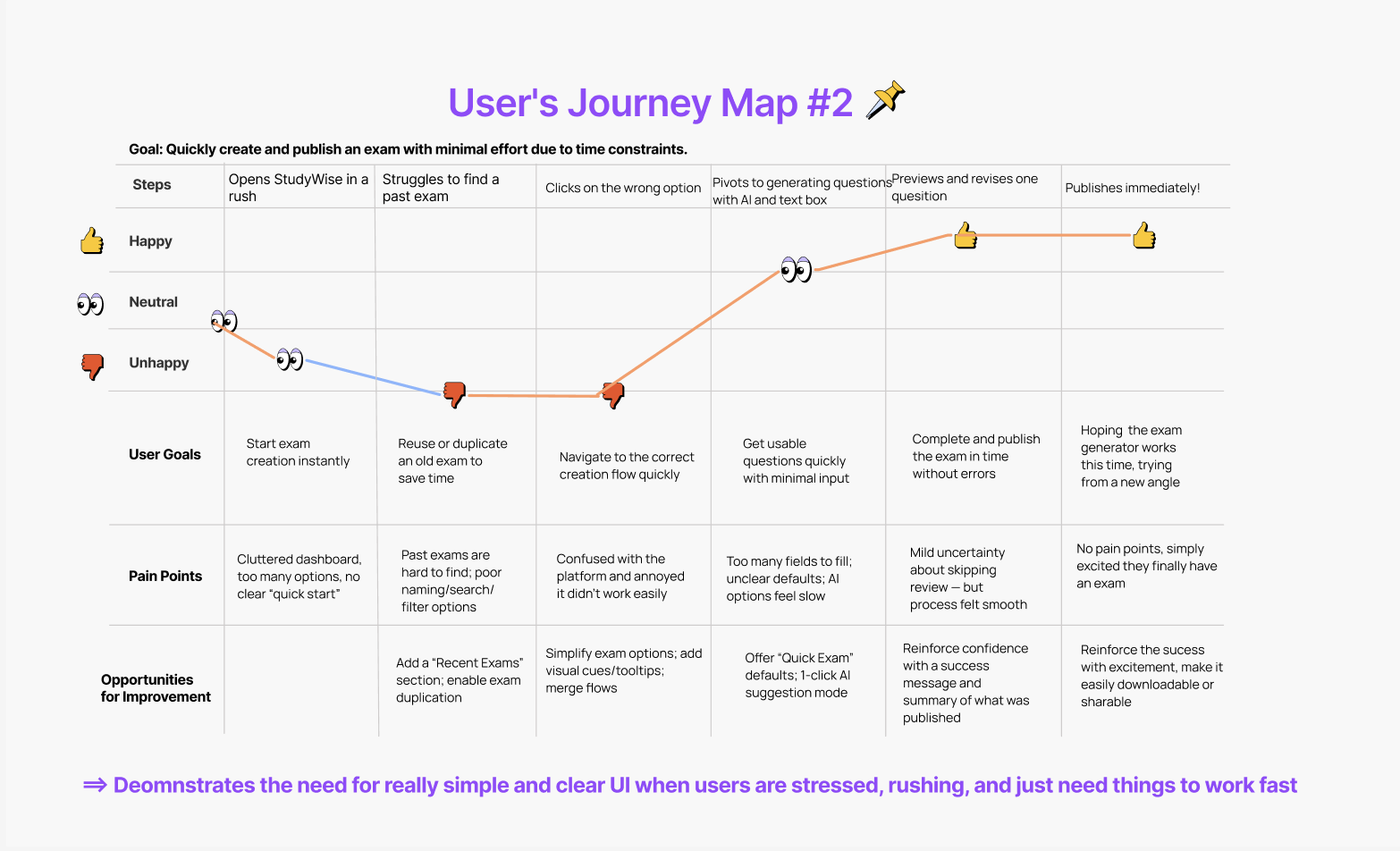
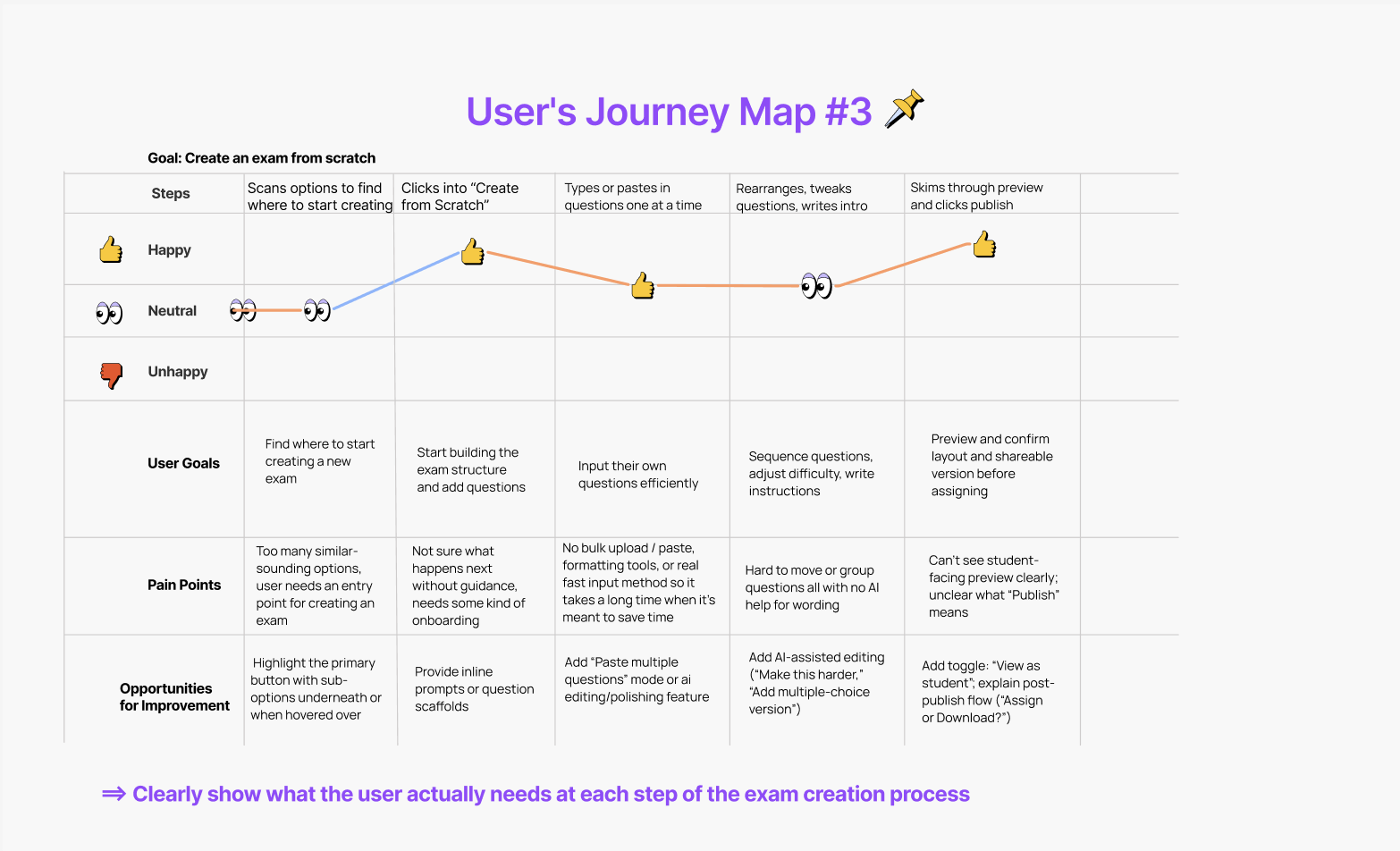
Unclear UI labels & dense screens → Users hesitate, guess, or click the wrong thing.
Lack of flexibility in flow → Users feel “trapped” in a flow that doesn’t match how they work.
Poor integration of AI → Feels disconnected or generic unless grounded in their real materials.
No clear entry points → Starting an exam feels confusing or directionless.
Revised Problem Statement
🔍 Problem
While StudyWise promises to streamline exam creation, users feel bogged down by a process that doesn’t match their mental models or teaching context. Research shows that teachers want to reuse, revise, and build assessments in ways that mix AI with their own materials, not follow a rigid sequence with unclear steps and low-value features. The result is a loss of trust in the system’s ability to actually save time.
💡 Vision
We aim to design an exam builder that supports real educator workflows: modular, flexible, and co-creative. Teachers should be able to jump in at any point (reuse content, generate from scratch, or collaborate with AI) while always knowing where they are, what happens next, and how their choices impact the final result.
Ideation
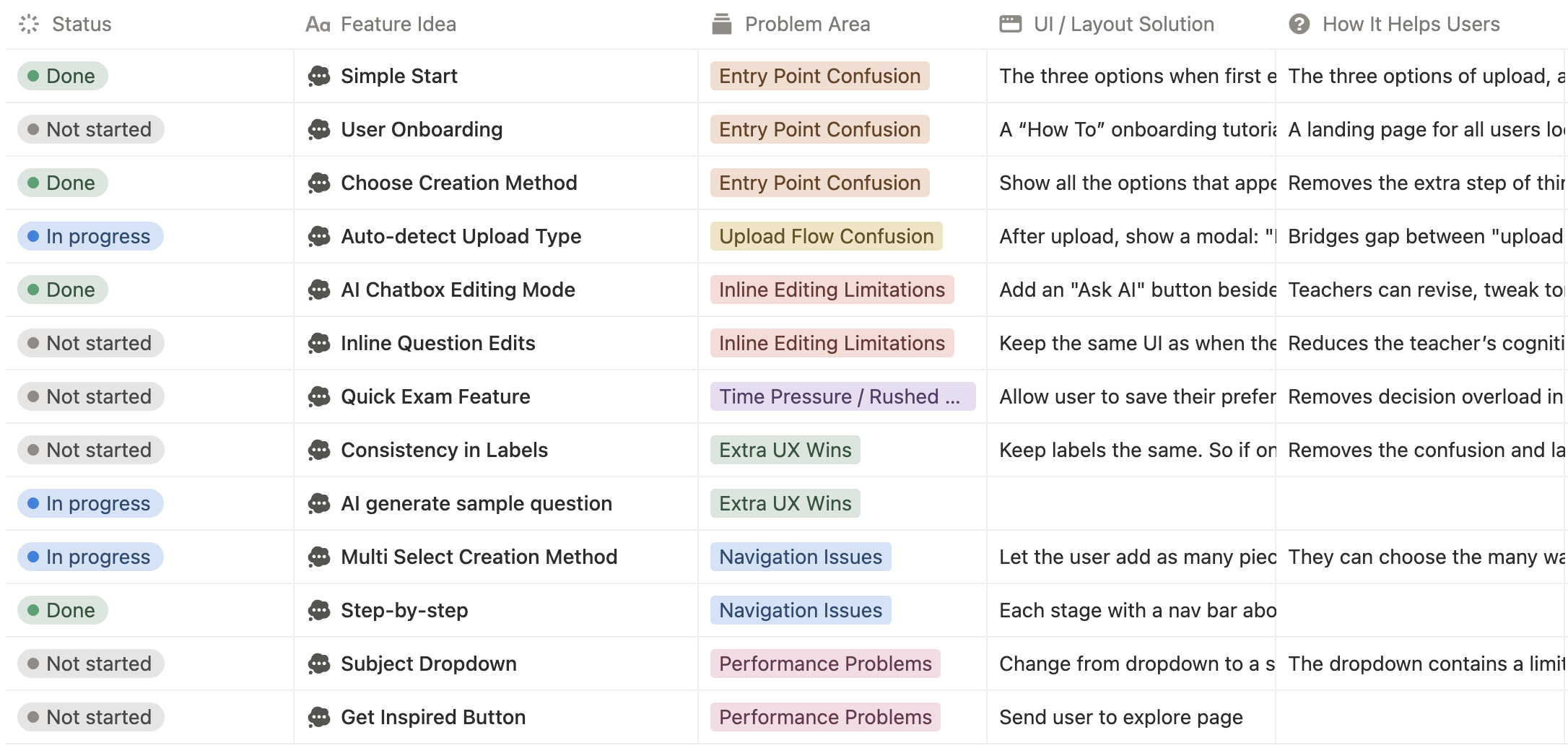
With a clear problem statement, I opened up the solution space. I recorded every potential fix against the pain points from research. My goal was not to solve everything at once, but to brainstorm the full possibility space so I could prioritize with intention.
From the ideation table, I focused on three problems: confusing entry points, lack of flow flexibility, and missing transparency between upload and output. I deprioritized features like 'Get Inspired' because research showed teachers found them distracting rather than useful, and I chose to focus on quality of changes to the current design over quantity. The wireframes reflect a step-by-step structure designed to reduce cognitive load at each stage.
Wireframing and Iteration
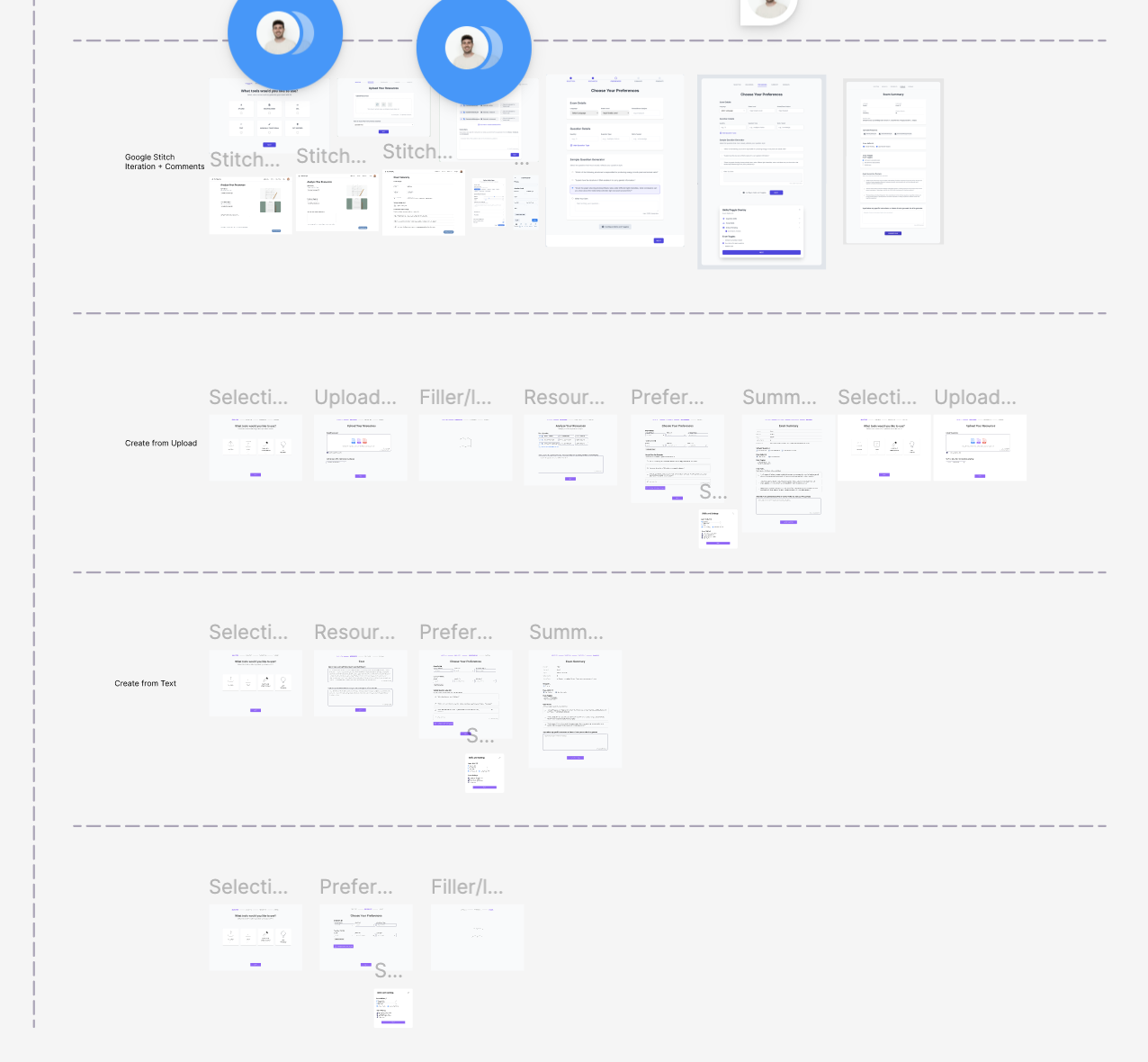
I started by wireframing the core user flow for generating exams, quizzes, and study guides, using Google Stitch to quickly explore and compare layout and interaction options against what I'd already built.
The prototype then went through two rounds of iteration based on feedback from my manager: the first focused on accessibility, flow, and navigation clarity; the second on making the AI's role clearer to users at each step, rather than a black box. All changes were made within the same Figma file, refining the design iteratively.